In this article, you will learn the two ways to factory reset a Nobi Gateway.
2 min task
What
To move your Gateway to a new housing unit, you first need to perform a factory reset. A factory reset does two things: it returns the Gateway to its default settings and removes the area in the housing unit it was previously linked to. After this, you're ready to physically remove the Gateway.
Why
It's important to factory reset a Nobi Gateway before you remove it from the housing unit. If you don't, the device would still behave as if it's located in the old housing unit. Therefore, any escalations triggered would indicate the wrong location.
Detailed steps
There are two ways to factory reset a Nobi Gateway: via the Nobi mobile app, or using the physical RESET button on the device.
Option 1: Factory reset via the Nobi mobile app
- From the dashboard, tap the three lines in the top left to open the navigation menu.
- Navigate to Housing units in the left menu.
- Choose the housing unit with the Gateway you want to factory reset and press the three dots.
- Press Edit.
- Tap on the Areas tab.
- Select the onboarded Gateway you want to factory reset.
- From the Settings tab, press Edit.
- Scroll down and press Factory reset.
-
Confirm you wish to factory reset the Gateway.
- The Gateway's LED will revert to flashing blue and green. You will be brought back to the Areas tab.
Option 2: Factory reset via the physical button
Use this method if resetting via the app isn't working.
- Locate the physical factory RESET button on the Gateway.
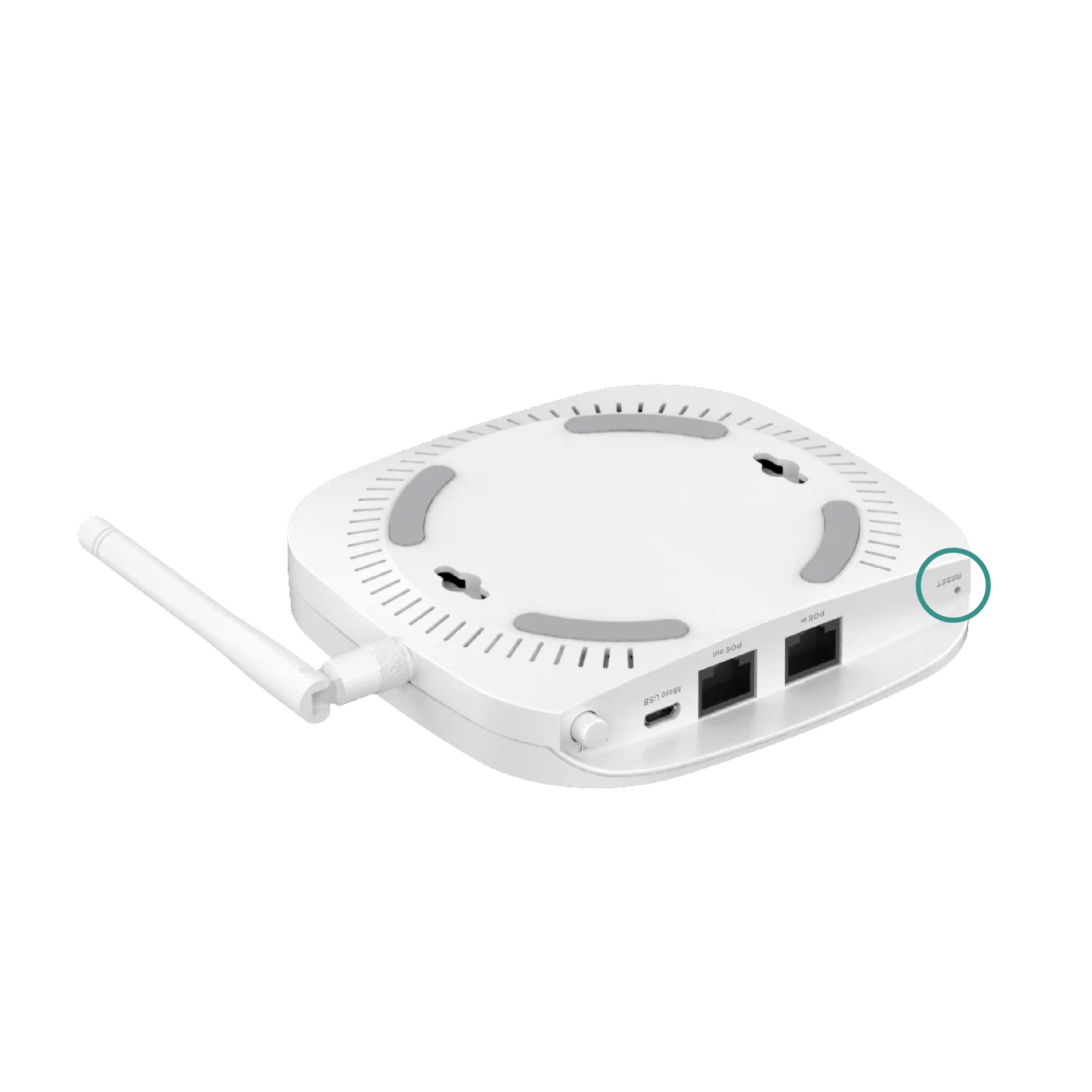
- Using a pin, press and hold the RESET button for 5–10 seconds, or until the Gateway's LED starts flashing blue and green to indicate it has been factory reset.
Note: The physical reset button factory resets the Gateway, but not its configuration. The area remains in the housing unit, and the Gateway cannot be onboarded again until you also factory reset the device in the app (steps above).
You have now successfully factory reset the Gateway. It can now be onboarded into an area.
Still have questions? Contact Nobi Support.